The Ultimate Weakness of Pen Displays: The Pointless Ritual of “Grabbing the Scrollbar”
For digital illustrators and retouchers, drawing tablets (graphics tablets and pen displays) are essentially an extension of their own bodies. Pen pressure sensitivity and smooth strokes on a canvas are things a mouse can never replace.
However, when it comes to Photoshop UI navigation, there is one critical action where the pen completely loses to the mouse: scrolling up and down long lists.
With a mouse, it takes a fraction of a second to spin the wheel. But what happens when you’re holding a pen?
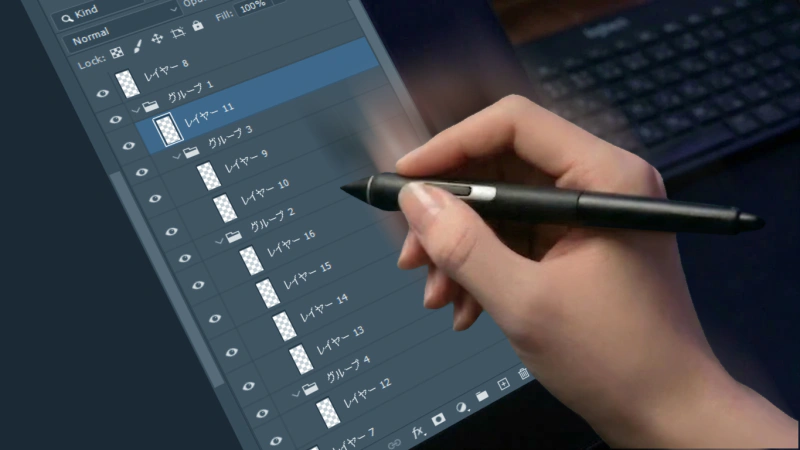
- Divert your eyes from the canvas to find the extremely thin scrollbar at the far right edge of the layers panel.
- Precisely control the pen tip to accurately “grab” that tiny bar.
- Carefully drag it up and down without letting the pen slip.
Every time you navigate through dozens or hundreds of layers, you are forced to repeat this precision scrollbar-hunting ritual.
How a “1-Second Delay” Creates a 10-Year Disaster
You might laugh and say, “It’s just one second to scroll.” But never underestimate a professional’s workflow. Assume an 8-hour workday, and estimate that layer-related scrolling occurs about 30 times an hour.
1 second × 30 times = 30 seconds of delay per hour- In an 8-hour day: 4 minutes
- In a month (20 days): 1 hour and 20 minutes
- In a year: Approximately 16 hours (2 full working days)
If we assume around 1,920 working hours in a year (8 hours x 240 days), eliminating this “16-hour” delay translates directly to a ~1% increase in pure productivity. Is 1% really “just” 1%?
What if you took this saved “1% of time” and strictly reinvested it back into your production output, year after year?
1.01 to the power of 10 ≈ 1.104
That means in 10 years, the person who adopted the right tools has increased their output (which equals income) by over 10%. Conversely, the person who continues to neglect this tiny optimization will permanently lose 10% of their future income, just for the sake of grabbing a bar. Between the artist who spent 10 years manually grabbing sticks and the one who solved it with tools, an insurmountable gap in output and speed emerges—they’re not even in the same league anymore.
The Experience: Swiping Exactly Like Your Smartphone
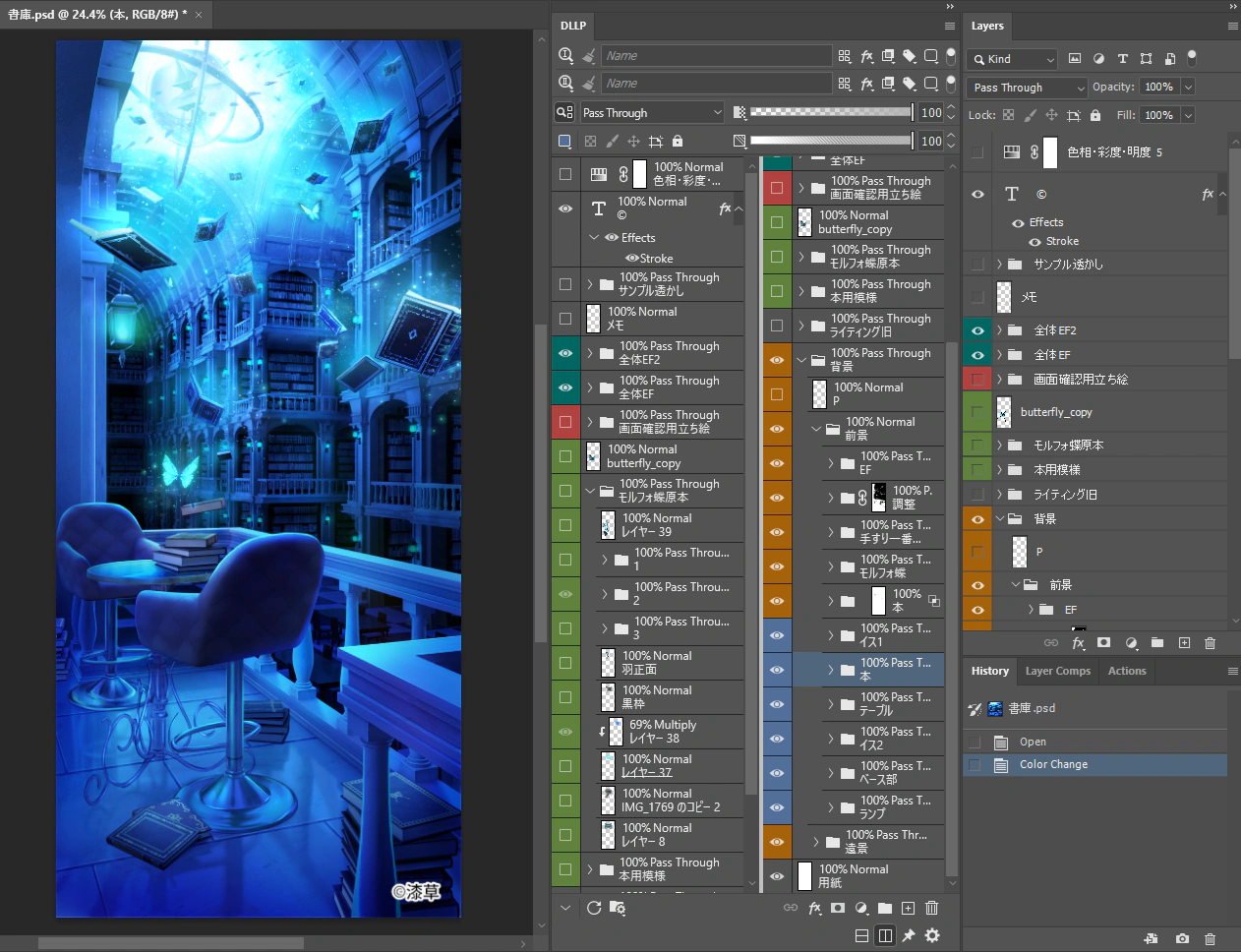
So, how do you bridge this 10-year gap? Developed exactly to destroy this long-standing frustration and protect a professional’s seconds, the dedicated Photoshop layer management plugin is here: DLLP (Dual Linked Layer Panel).
No more aiming for a thin scrollbar. Grab anywhere inside the panel with your pen and swipe up or down directly.Absolute Safety: “Zero Percent Misfire” via Key Modifiers
The layer panel in DLLP fully supports “Swipe to Scroll,” identical to a smartphone’s UI. But this isn’t just an intuitive swipe feature. The true essence of DLLP lies in its uncompromising dedication to “safety” in a professional environment.
DLLP’s scroll trigger fires through clear mode separation: “Shift + Drag.”
Unlike UI designs with ambiguous hitboxes that guess whether you meant to grab a thumbnail or scroll, DLLP strictly switches to scroll mode only while the key is pressed. This reduces the probability of accidentally dragging and dropping a layer while editing to absolute 0%.
It is a robust design built for professionals, protecting your concentration and your time.
10 Years From Now: Are You Worth Half as Much?
DLLP’s swipe scroll reclaims “16 hours a year (~1% productivity boost).” Furthermore, if you utilize DLLP’s other core feature—the “Always-on Opacity & Blend Mode Display”—the wasted time spent clicking to check layers (30 minutes a day = ~6% productivity boost) is eliminated entirely.
When you compound this “comprehensive productivity boost of the entire plugin (~7%)” over 10 years (1.07^10 ≈ 1.96), it creates an astonishing nearly 2x gap in output.
Looking at this reality, which side of the creator divide will you be on in 10 years?
The top professional who invests in tools, compounds their saved time, and delivers output at double the speed? Or the creator who stubbornly clings to wasteful manual work, only to find their market value (and income) has plummeted to “half” that of their peers?
Cut your time, or cut your waste. The choice is yours.
Stop Wasting Time on Layer Verification
Experience the full power of DLLP for 30 days. Installation is easy, and you can start improving your work efficiency right away.
Start Free Trial