Choose combinations. Render the whole batch.
Batch render four-axis combinations. Manage selections, jobs and progress in one dedicated Blender window.
See pricing and purchase options ↓Windows · Blender 4.5 LTS / 5.2 LTS
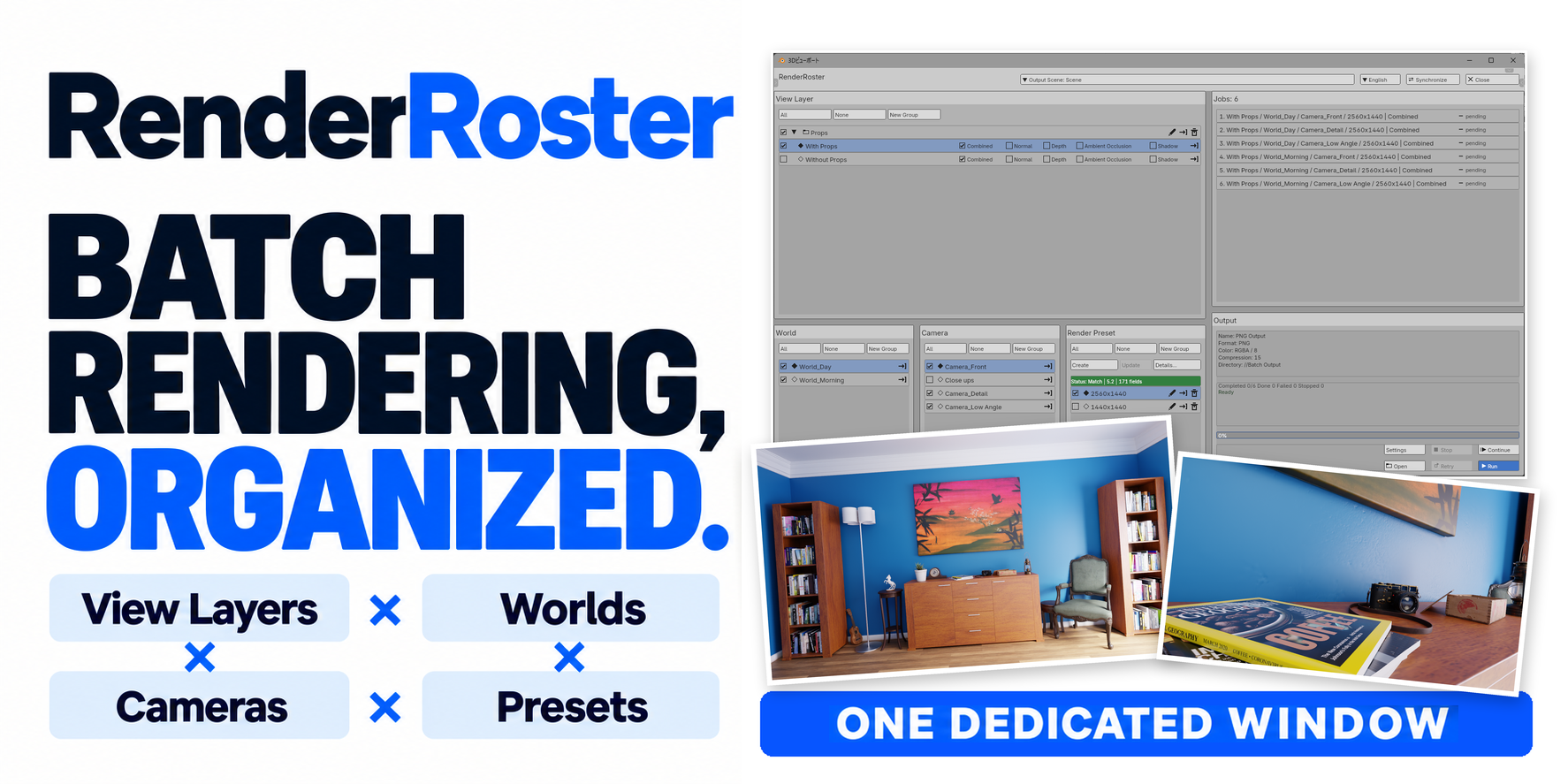
Many assets. All the variations you need.
Spend less time switching settings and starting each render by hand.
Prepare a View Layer for each asset and configure the batch up front. Render your collection in sequence without switching each asset by hand.
Compare prop, lighting and composition variations side by side, then choose the image you want.
Prepare landscape, square and other image formats with different resolutions and aspect ratios in one batch.
Render every selected combination.
View Layers × Worlds × Cameras × Render Presets
Props, lighting, viewpoints, resolution and quality. Select items across the four axes to turn their combinations into render jobs.
Choose View Layers for prop variations, Worlds for lighting, Cameras for angles, and Render Presets for resolution or quality.
Selections, groups, generated jobs and progress share a spacious dedicated window, without squeezing batch management into a narrow sidebar.
Review the generated job list and output settings before starting. Jobs render sequentially.
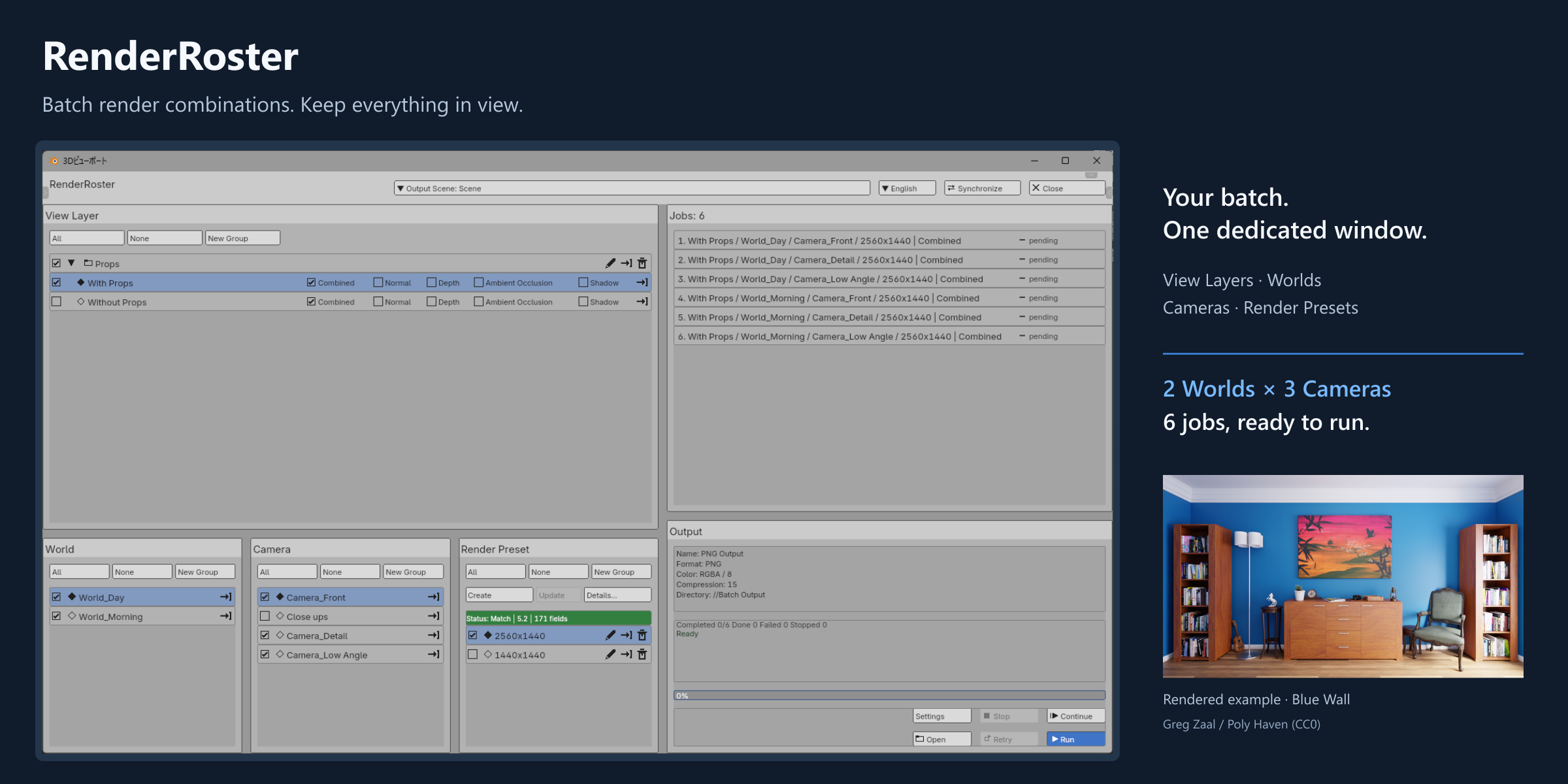
3 cameras × 2 worlds. Six outputs.
Six actual outputs from one View Layer, two Worlds, three Cameras and one Render Preset.
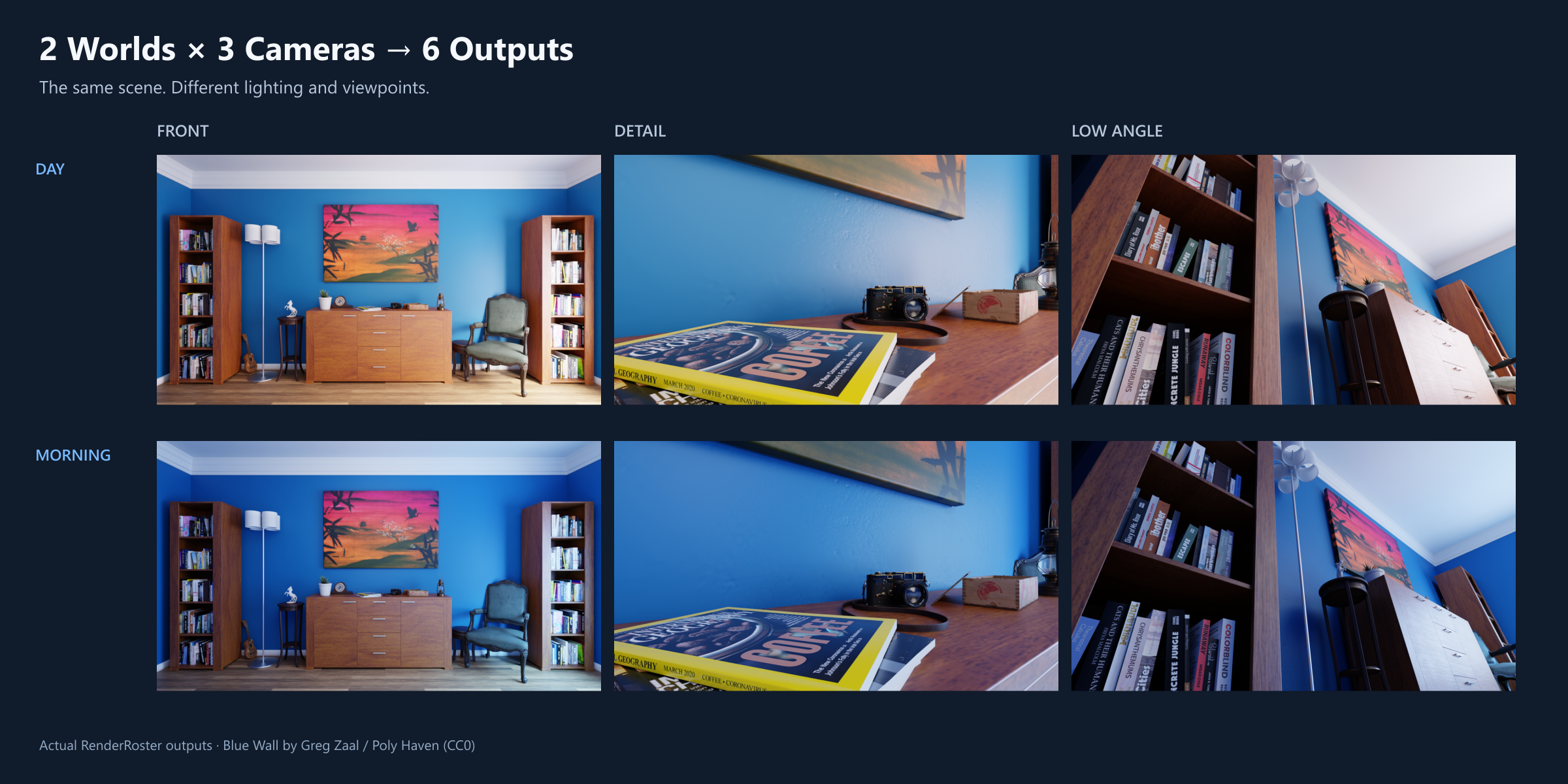
Demo scene: Blue Wall — Poly Haven (CC0). Demo scene and rendered images are not included in the product.
Organize outputs. Keep track of unfinished jobs.
A job ID based on all four axes remains even when camera or world names are omitted from the filename. Versioned names preserve earlier outputs.
Within the same batch configuration and Blender session, Continue handles pending or stopped jobs; Retry handles failed jobs after the cause is fixed. Recovery after closing or restarting Blender is not supported.
Compare saved render settings with current values before applying them. Changes to the file’s working color space warn about their effect on the whole blend file.
Get RenderRoster
One-time purchase · 1.x updates included · 12 months of individual support
After purchase, sign in to Urushigusa Hub with the same email address used at checkout to download the ZIP.
Sign in to the Hub with your purchase email address to download the product.
Requirements and contents
- Windows · Blender 4.5 LTS / 5.2 LTS (tested: 4.5.13 / 5.2.0)
- macOS and Linux are untested.
- PNG output and sequential rendering. No distributed or parallel job rendering.
- UI in English, Japanese, Simplified Chinese, Korean, Spanish, Russian and French.
- RenderRoster 1.0.0 Extension ZIP + Japanese and English guides
Install the ZIP in Blender without extracting it. On Windows, drag and drop it into Blender or use Install from Disk. Save your blend file, then set up from the RenderRoster sidebar tab.
Do not use the same output folder from multiple Blender processes at the same time.
Direct-store purchase terms
Updates and support
Updates in the 1.x series are included at no additional charge. Version 2.0 and later may be separate purchases. Future releases, indefinite maintenance and compatibility with every future Blender version are not guaranteed.
Individual support in Japanese and English covers installation, normal use and bug investigation for 12 months from purchase. Response times, resolution deadlines and outcomes are not guaranteed. Bug reports remain welcome afterward, without a guarantee of individual investigation or replies. Versions already received remain usable.
Refunds
As this is a downloadable digital product, refunds for customer convenience are generally not offered, including accidental purchases, a change of mind or purchases for an environment clearly listed as unsupported. This does not affect rights or remedies required by applicable law or the payment provider’s rules. Please contact us about technical issues.
License
Add-on source code is provided under GPL-3.0-or-later. Guides and icons have separate terms in the included README. Commercial creative work is allowed; using RR does not impose the GPL on your artwork or rendered output. Support periods do not restrict GPL rights to the code.
Contact us about RenderRoster →