Edit your OpenCode conversations.
Edit user input, AI answers and Thinking saved in OpenCode. Browse sessions and messages, then apply your edits to OpenCode.
Pricing & requirements ↓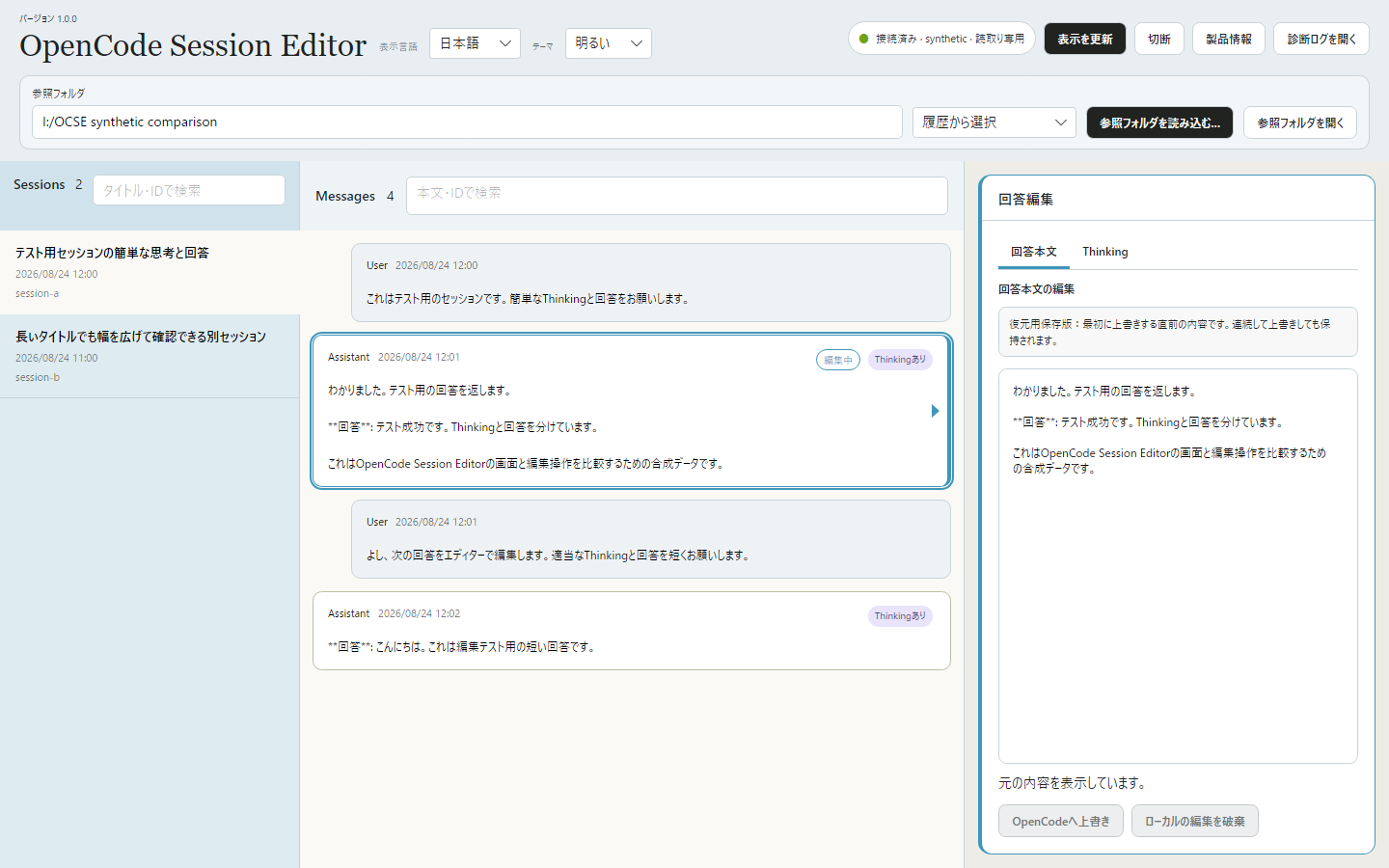
OpenCode Session Editor
Edit user input and AI responses.
Search sessions and messages, and resize columns to suit your work.
Select user input, an AI answer or Thinking to edit. Apply your changes with “Overwrite in OpenCode”.
The content before the first overwrite is saved, so you can restore it even after editing the same part multiple times.
How to use
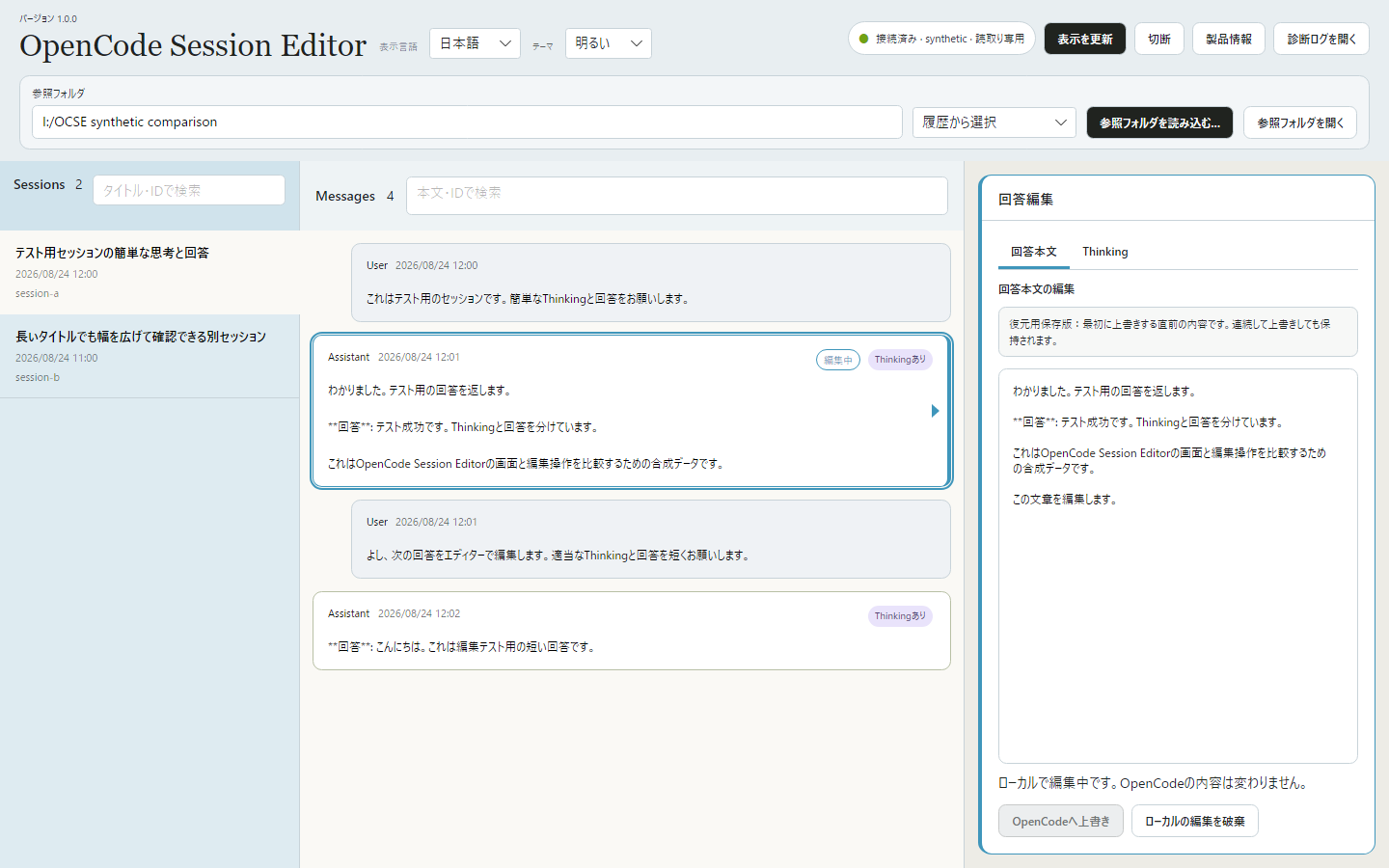
Screenshots show a test conversation. Click an image to view it at full size.
Choose a message
Load your project folder and select a session on the left. Choose the user input or AI answer you want to edit from the message list.
Edit and apply
Edit the text on the right. For AI answers, switch between the Answer and Thinking tabs.
When you are ready, select Overwrite in OpenCode and confirm. Typing alone does not change your OpenCode data.
Pricing and license
For one person on any number of devices they own or manage. V1 use is perpetual; published V1.x updates are included.
Future major versions may be sold separately.
Requirements
Windows 11 · 64-bit (x64)
Interface: 9 languages — 日本語 / English / 简体中文 / 繁體中文 / 한국어 / Deutsch / Français / Español / Português (Brasil)
OpenCode is required separately. Runtimes including .NET are bundled. Extract the ZIP and launch the executable.
Your conversations stay on your PC.
OCSE does not send your conversations or drafts to external servers.
Applying your edits changes the text saved in OpenCode. Back up important conversations beforehand.