Switch with your app
Save shared and app-specific assignments in each profile. Switch automatically with the registered foreground app.
 Numpad Remapper
Key remapping that follows your presses and releases. Control key holds and overlapping presses with your own timing.
WINDOWS · JIS / US · 9 LANGUAGES
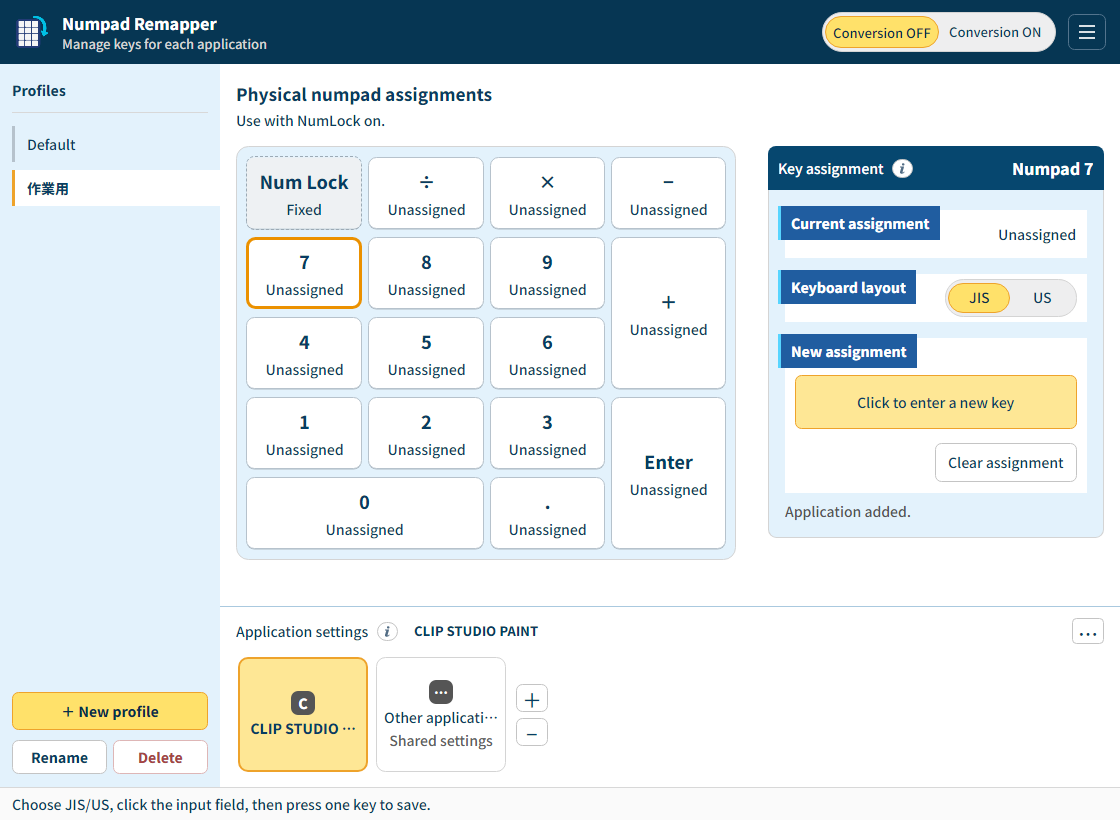
Rather than replaying a recorded sequence and its delays, it maps each press and release as you use the keys.
Save shared and app-specific assignments in each profile. Switch automatically with the registered foreground app.
Choose the interface language and keyboard layout separately. Guides and support are in Japanese and English.
Japan: 680 JPY including tax
Use your purchased version without a time limit.Released version 1.x updates are free.Version 2 and later may be sold separately.
Windows 10 / 11 x64 · build 19041 or later
Extract the complete ZIP and open Numpad Remapper.exe. Runtime and fonts are included. Conversion starts OFF. Turn NumLock ON, check assignments, then select Conversion ON. The close button hides the window. Use Exit App in the tray or settings to exit completely.
Settings are stored in user application data, separately from the app. Exit completely, extract updates to a separate folder, and keep the old version and settings. Copying the app folder does not separate its settings.
On abnormal conditions, the app prioritizes releasing its own output and notifies you if conversion stops. If Windows cannot confirm a normal keyboard key was released, conversion pauses. Press and release the indicated key in a safe window; conversion resumes once its state is confirmed. Response also depends on the OS and target app.
Japanese, English, Simplified Chinese, Traditional Chinese, Korean, German, French, Spanish, and Brazilian Portuguese.
漆草 / Urushigusa
[email protected]