Why People Keep Getting Productivity Wrong
In animation, games, illustration, and UI design, the same conversation comes up again and again: “How do we work faster?” “How do we improve efficiency?”
And every time, the same answers tend to appear:
- Add a new tool
- Memorize more shortcuts
- Move your hands faster
- Just get more used to it
I am not saying those things are completely useless. But if that is the entire conversation, the discussion is probably missing the point.
Sometimes those ideas work by chance. A new tool may help. A shortcut workflow may happen to fit. But if you cannot measure what improved and by how much, a large part of that activity is just feeling productive.
The real problem is that people keep focusing on what to add, without looking at why the workflow is slow in the first place.
Why “Fake Improvement” Fails
When productivity efforts fail, the pattern is usually the same: people pile on solutions without measuring the current state first.
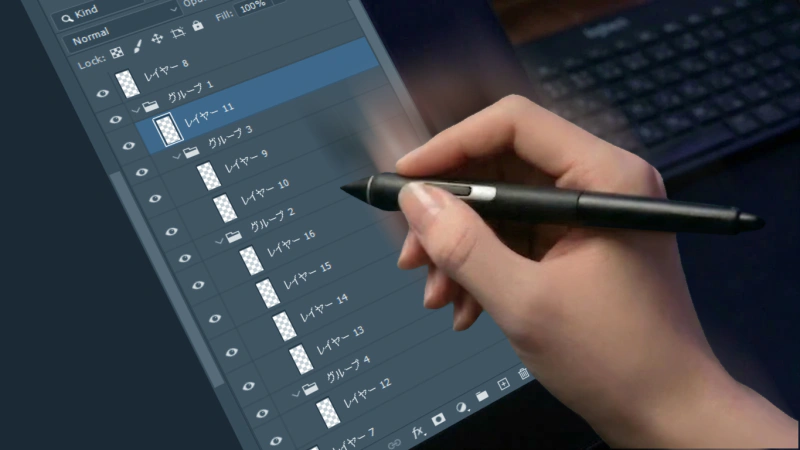
In a Photoshop workflow, for example:
- How many minutes per day are spent searching for layers?
- How many clicks are wasted just checking blend modes and opacity?
- How long does it take to start real work after inheriting someone else’s PSD?
- How often do revisions stall because nobody can immediately tell what should be edited?
If you do not understand those things and you keep stacking ideas like “let’s try this plugin” or “let’s share more shortcuts,” most of the time that is not improvement.
That is just improvement theater. You are applying solutions before identifying the actual problem.
Improvement is not about finding one magical tool. The most important part of improvement is observing what the problem actually is.
Rule 1: Without Standards, There Is No Improvement
The first thing a team needs is not grit or motivation. It is standards.
Before asking, “How do we make people work faster?”, you need to define things like:
- How should layers be named?
- How should folders be grouped?
- Where should adjustment layers and effects live?
- What should a PSD look like so that the next person can read it immediately?
If those standards do not exist, you cannot even tell what is normal and what is abnormal.
Without standards, you cannot clearly tell whether the workflow is slow or merely chaotic. As a result, the person currently touching the file becomes the rule, and the process becomes person-dependent.
That does not mean “the workflow works because veterans are strong.” It means the workflow depends on veterans because no standard exists.
If you want a deeper look at how unstandardized PSDs slow down an entire project, this article covers that in detail:
If Your Photoshop PSDs Aren't Standardized, You Have a Serious Production Problem
When naming rules and layer structure are not standardized, revisions, handoffs, and direction all get slower.
Rule 2: Before Deciding What to Do, Understand What Is Actually Happening
Even if you define standards, improvement has not started yet. The next requirement is the ability to observe the workflow.
That does not mean introducing some elaborate analytics platform. It means looking carefully at basic, practical questions such as:
- Where are people spending time searching?
- Where are they getting lost?
- Where do repetitive confirmation tasks happen?
- Where does cognitive load suddenly spike?
You need to examine those things with your own eyes. If you do not understand them, you cannot choose the right corrective action.
In many layer-panel workflows, the real waste is not raw input speed. It is the number of steps required just to recognize what is going on.
- Layer names alone do not reveal the actual state
- You need to click layers just to check opacity and blend modes
- Deep folder structures make it hard to reach the target element
- Irrelevant layers remain visible as constant noise even when you only need a few items
Only after you make these problems visible can you decide what to fix. Even if the issue appears to be “people are slow,” you still need to investigate why that is happening in concrete terms. It may be a tooling problem. It may be a training problem. It may be a structure problem.
Tool Adoption Is Not Improvement. It Becomes Improvement Only When It Connects to Observation and Standards
This point matters enough to say plainly:
Installing a new tool does not automatically improve productivity.
It only becomes an improvement device when it helps you do things like:
- Make standards worth following because they visibly save time
- Detect abnormalities in the current workflow more easily
- Make search time, checking time, and confusion visible
That is exactly why Photoshop workflow improvement is so difficult inside the standard UI alone.
You can clean up layer names, but that does not always turn into speed. You can define layer colors, but that does not necessarily improve readability or extraction. You can organize structure, but once the PSD gets large, you still end up scrolling and opening folders.
So in many teams, the effort required to maintain standards is visible, but the payoff is not.
That is why rules collapse under pressure.
DLLP Is Less a “Speed Tool” and More an Instrument for Exposing Workflow Problems
It is easy to describe DLLP as a convenient tool. But that is not the most important part.
Its real value is not just that it can:
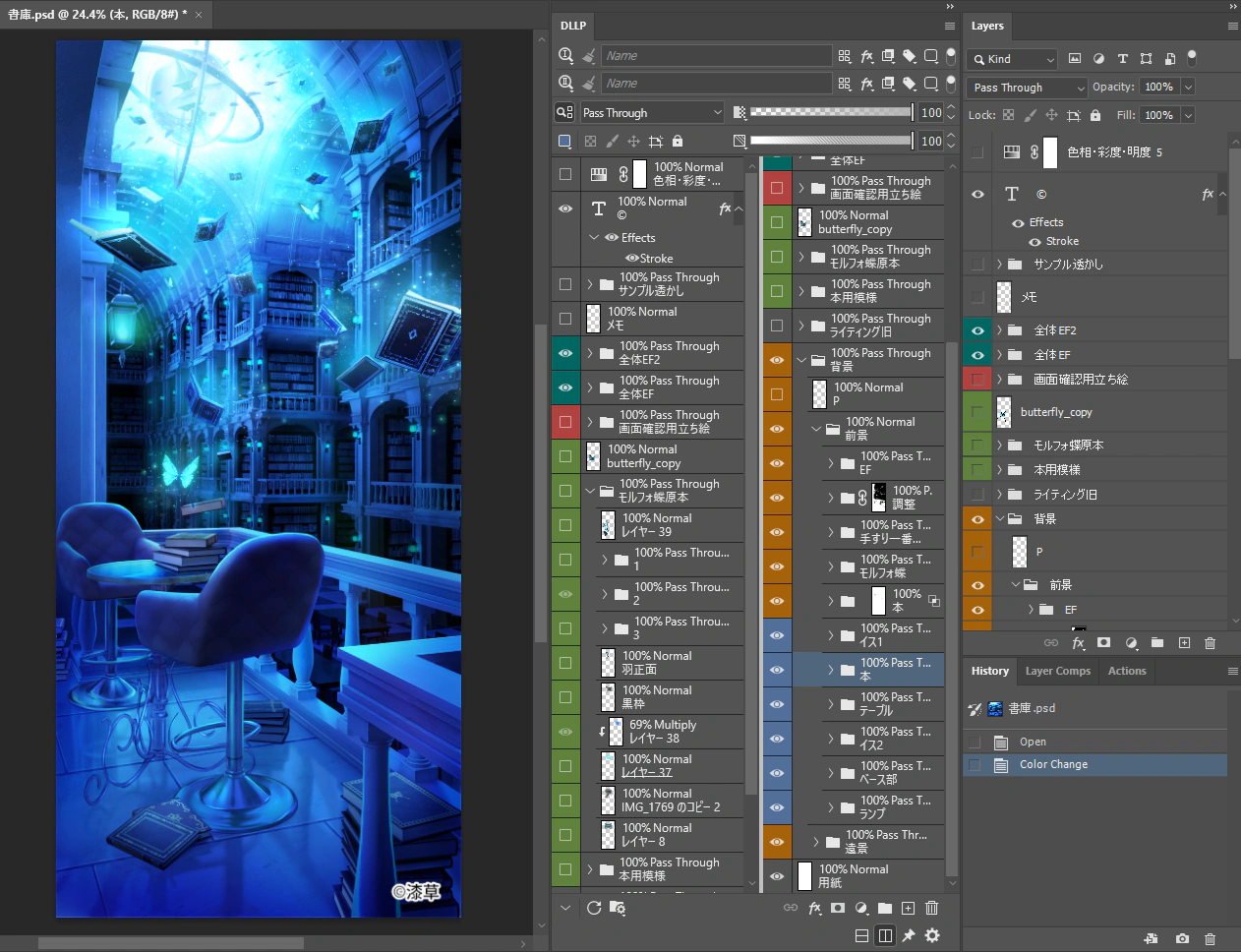
- Keep opacity and blend modes visible at all times
- Extract exactly the elements you need through advanced filtering
- Let you observe different parts of the PSD at once with dual views
Its real value is that it exposes where the workflow is wasting time.
If naming is inconsistent, filtering reveals that weakness immediately. If the structure is unreadable, a clearer panel makes that breakdown visible immediately. If layer state management is sloppy, always-on property visibility exposes the mess all at once.
In other words, DLLP is not just a tool that makes you faster. It is also a mirror that shows how much slowdown your current environment is creating.
If you want more concrete examples of how to eliminate this waste, these articles go deeper:

Are You Wasting 40 Hours a Year Searching for Layers? The First-Ever Filter in Photoshop to Reduce 'Searching Time' to Zero
Learn how to eliminate the waste of visually scrolling through layers by extracting only what you need.
How to See All Layer Opacity and Blend Modes at Once in Photoshop
Learn how to eliminate click-based checking and lower the observation cost of layer states.
Real Productivity Improvement Is Not About Creating “Faster People.” It Is About Creating a Workflow That Does Not Make People Slow
What the entertainment industry really needs is not more individual speed demons.
What it needs is:
- PSDs that anyone can read
- An environment where the current state is easy to understand
- A system where following standards makes work easier, not harder
- A UI that reduces unnecessary searching and checking
That is what a workflow that does not become slow actually looks like.
Improvement is not about blaming individuals. It is about refusing to leave waste embedded in the structure.
If your team constantly experiences any of the following:
- searching for layers over and over
- spending revision time just understanding the file structure first
- feeling exhausted from reading other people’s PSDs
- adopting tools without ever feeling a clear productivity gain
then the first thing to question is not personal effort. It is the lack of standards and observation.
Summary: If You Want Productivity, Measure the Workflow First
Learning shortcuts is not bad. Adding tools is not bad. But those things are not the core of improvement.
Real improvement always starts in the same order:
- Define standards
- Observe what is actually happening
- Remove waste at the structural level
If a team skips that order and jumps straight to “we need to work faster,” it usually ends up taking the long way around.
Real productivity improvement is not about increasing willpower. It is about making the causes of slowdown visible, then replacing them with a structure that does not create the same waste again.
Stop Wasting Time on Layer Verification
Experience the full power of DLLP for 30 days. Installation is easy, and you can start improving your work efficiency right away.
Start Free Trial