
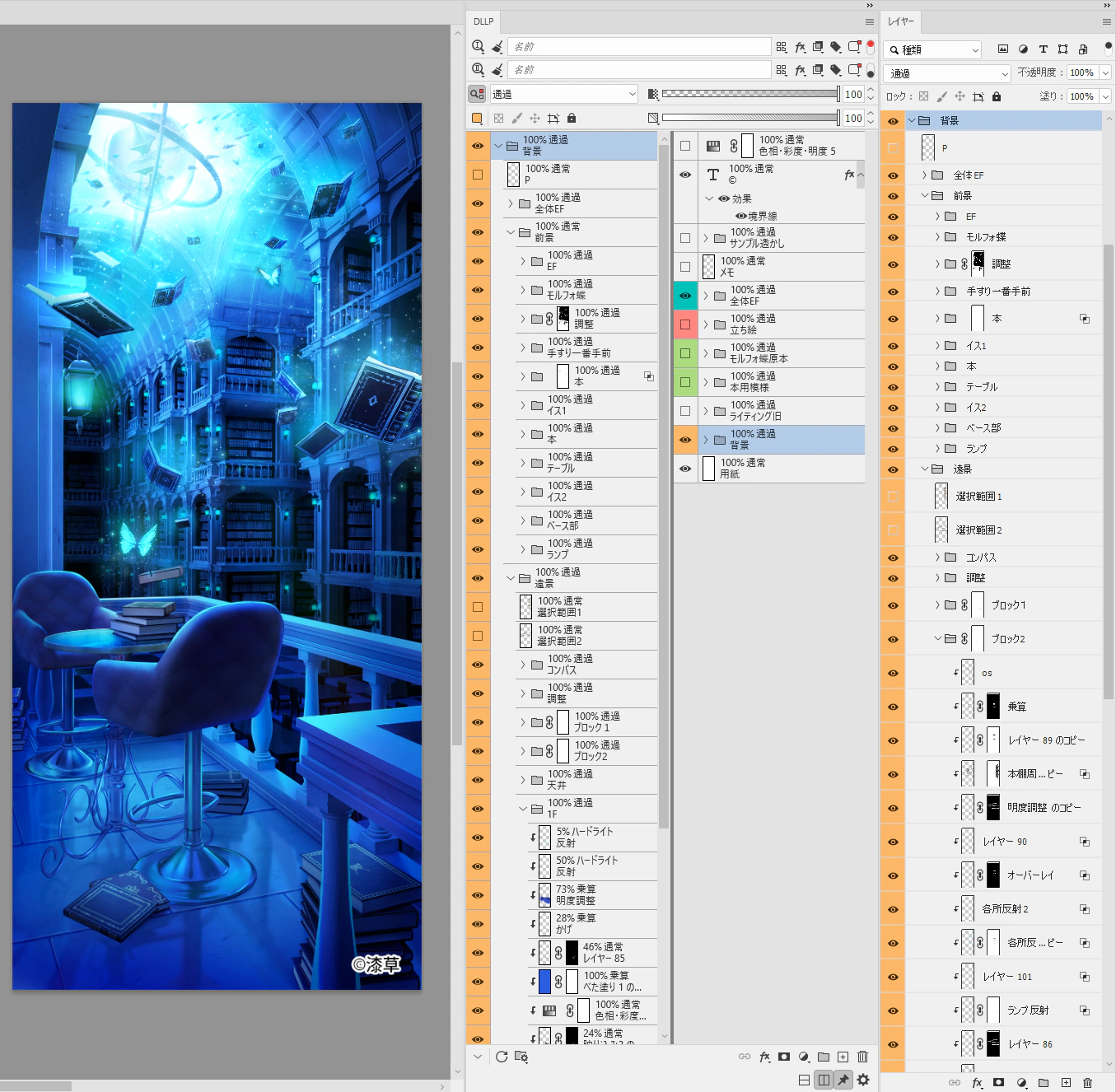
Left: Work Sample / Center: DLLP Plugin / Right: Default Panel

Latest Version: v0.9.0
Layer Management, Reimagined.
Don't stop the creative rhythm.
A new workflow with DLLP in 2 minutes.
Left: Work Sample / Center: DLLP Plugin / Right: Default Panel
Uncompromising features demanded by professionals.
Split the layer panel vertically or horizontally to manage massive layer stacks efficiently. Drag and drop between views allows you to instantly move layers to your target destination, even in long lists.

No more struggling to grab tiny scrollbars. With Shift + Drag, you can scroll through the list intuitively, just like on a smartphone.

Keep an eye on the whole picture in one view while displaying only specific layers in the other. Multi-condition searches combining name, kind, and color, along with instant presets, realize flexible workflows impossible with the standard panel.

No need to click layers or write settings in layer names anymore. Free yourself from the confusion of 'The name says Overlay, but it's actually Color Dodge'. Always see and adjust the exact values.

There was no magic solution to automatically follow every Photoshop operation. That's why we implemented individual handlers for over 2,000 native commands. This realizes smart, bi-directional synchronization between DLLP and the standard panel.

No keyboard needed for opacity tweaks. No right-clicking for color labels. Sliders, presets, and dedicated color buttons allow you to complete all adjustments with just your pen tip.

Supports all 23 languages of the Photoshop UI. Secure and smooth payment processing via Paddle.

🎁 30-Day Free Trial for All Plans
🚀 Launch Special (25% OFF)
Purchase for the number of seats needed.
Need Invoice Payment?
Contact Support →Not ready to buy?
Start with the fully functional 30-day free trial.
No credit card required.
This plugin has been verified to run smoothly and stably in the following environment. * Verification results are from the developer's environment and do not guarantee performance in all environments.
Get the installer via email
or download from this website.
Open the .ccx file.
Installation starts automatically.
Open via Plugins > DLLP
menu in Photoshop.
Experience the new standard of layer management today.
Free on Adobe Exchange